We have spent a couple days of class time discussing what makes a good photo or why we think one is "bad" or "not good". For this extra credit assignment for 30 pts find any school appropriate photograph, bring it to class Monday and share with the class at least 3 aspects of why the photograph is good and at least one on what could be improved. Every photograph has something that can be improved upon. You must share both (4 total comments and to the class) to receive credit. If you do not present to the class you will not get credit. You can only do this extra credit assignment on Monday.
Saturday, November 5, 2011
Friday, November 4, 2011
Pinhole Camera's
Pinhole camera construction came to an end on Halloween, October 31, 2011. Here are just a few of the almost 200 pinhole camera's that were built. Students are now working on taking at least four negatives on campus and one of their parent(s). ENJOY!


Monday, October 31, 2011
Sanitary Supplies
We are in need of hand soap, tissue and paper towels for hands. All money donations have been used to buy the essentials for the darkroom supplies and film processing, camera batteries. If you would like to make a donation of these supplies they can be made anytime in the school year, just bring them in into class.
Thanks!!!

Thanks!!!

Sunday, October 30, 2011
Wednesday, October 26, 2011
Saturday, October 22, 2011
Turning in Photoshop Files
Please remember if you do not follow the below information when turning in a digital project it will NOT be accepted and will be late for only half credit up for up to one week from the due date.
You MUST do the following:
file name: periodlastname (example: 01millam)
email to: kennedyhsphoto@gmail.com
email subject line: Period 01 (insert your period number, making sure there is a space between period and the number of your period you are in.)

You MUST do the following:
file name: periodlastname (example: 01millam)
email to: kennedyhsphoto@gmail.com
email subject line: Period 01 (insert your period number, making sure there is a space between period and the number of your period you are in.)
If you are not sure you did this correctly for lesson two send your file again!!!

Tuesday, October 11, 2011
More about layers in Photoshop
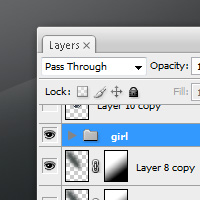
Today we went over the basic ideas and functions of layers. But there is a lot more that can be done with them and uses of them. Follow the link below to get more in-depth explanation of what layers can be used for:

http://www.surrealpsd.com/core-skills-photoshop-layers-part-2/
Monday, October 10, 2011
Photoshop Lesson 02: Layers
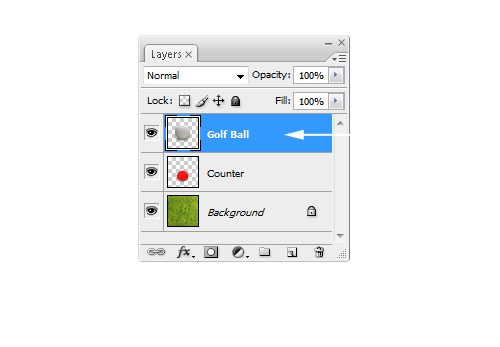
Tomorrow (Tuesday, October 11.) we will be starting our next Photoshop lesson. Now that we have learned how to make selections and move / copy elements around in Photoshop we now move on to using layers. One of Photoshop's great advantages in image editing. Layers allow you to ad effects and edit with out destroying or "ruining" other effects or edits and lets you go back and either modify or get rid of them all together while still preserving other parts of the image. This is also known as "non destructive editing". If you want to get a jump start on tomorrow read the following info at this link: http://www.surrealpsd.com/core-skills-photoshop-layers-part-1/

Chapter 01: Beginnings
Chapter 01 in Black and White Photography was started last week October 3rd. Chapter 01 is in introduction on what we will be learning all year long and is the foundation to the class. This is an important chapter to understand as we will be building on the concepts learned here through out the school year.


Wednesday, October 5, 2011

Subscribe to:
Posts (Atom)